Auto-Ship or Auto-Pay? The Fine Print Hiding in Your Med Subscription
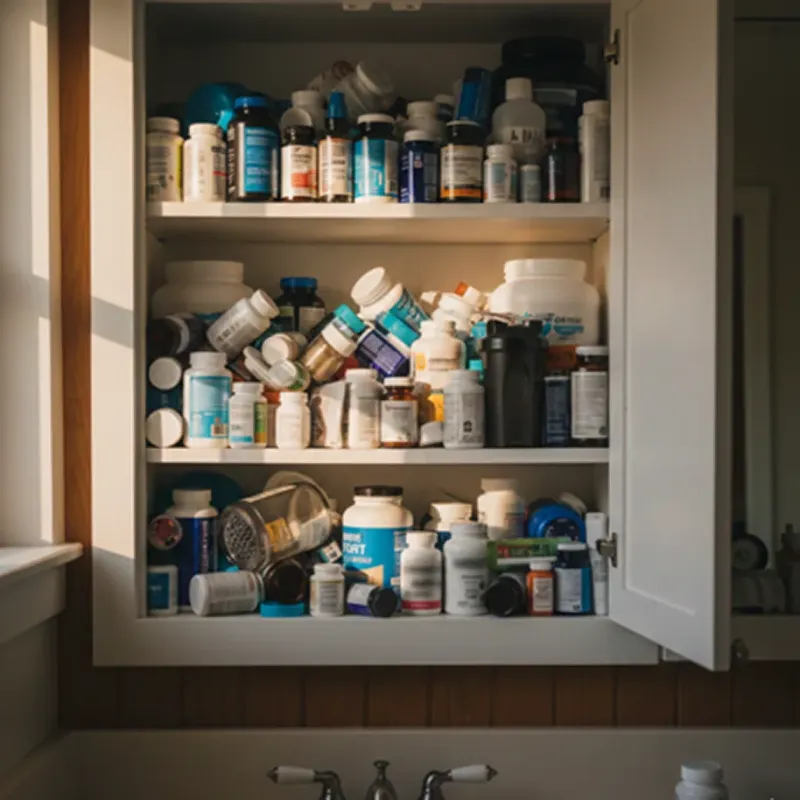
Photo: overflowing medicine cabinet with duplicate pill bottles subscription boxes, via assets.replocdn.com
There's a certain magic to opening your mailbox and finding a fresh bottle of your prescription waiting for you. No waiting room, no drive-thru lane, no awkward small talk with a pharmacist about your blood pressure. Online pharmacies figured out a while ago that Americans love convenience almost as much as we love a bargain — and they mashed the two together with auto-refill subscription programs.
But here's the thing nobody puts in the welcome email: sometimes that "set it and forget it" convenience is quietly draining your wallet. Duplicate shipments stack up in the bathroom cabinet. Prices creep up after the intro offer. And canceling? That can feel about as easy as escaping a gym membership.
Let's pull back the curtain on how these programs actually work — and how to keep the convenience without the money pit.
Why Auto-Refill Sounds Too Good to Be True (Sometimes It Is)
The pitch is simple: sign up once, get your meds on a schedule, save 10-30% versus one-off orders. Legit programs do deliver real savings. But the business model only works if you keep paying — which means some platforms are designed to keep you enrolled whether you need refills or not.
A few patterns worth knowing about:
- The intro discount cliff. Your first three months cost $19.99. Month four? Suddenly it's $39.99, and nobody sent a heads-up.
- The "skip window." You can pause or skip a shipment — but only if you click the button 5-7 days before your billing date. Miss it by a day and you're buying another bottle you don't need.
- The duplicate pile-up. If you switch doses or doctors change your script, the old subscription keeps chugging along unless you manually kill it. That's how people end up with three partially-used bottles of the same statin.
- The bundle you didn't ask for. Some programs auto-add "wellness extras" — supplements, shipping protection, priority processing fees — that look optional but get toggled on by default at checkout.
None of this is illegal. It's just the difference between a program built to save you money and one built to save itself some money.
The 5-Point Checklist Before Your First Bottle Ships
Run any auto-refill program through this list before you hand over a card number:
- What's the price after the promo? Look for the long-term monthly cost, not the teaser rate. If the site buries it, that tells you something.
- Can you skip or pause with one click? Log into a demo account (or the signup flow) and find the actual button. If "manage subscription" leads to a maze, expect friction later.
- What's the cancellation policy in writing? Not the FAQ — the terms of service. Search for the words "cancel," "terminate," and "non-refundable."
- Is there a minimum commitment? Some programs lock you into 3, 6, or 12 months at the discount rate. Bail early and they bill you the difference.
- Who's actually shipping? Reputable platforms are transparent about their licensing and where orders ship from. If that's vague, the subscription terms are the least of your problems.
Two minutes with this checklist can save you a year of $40 charges for meds you stopped taking in March.
Red Flags Hiding in Plain Sight
Beyond the checklist, watch for these tells:
- "Membership" language instead of "order" language. If you're a "member" with "tiers," you're probably paying a recurring fee on top of your meds.
- Refill reminders that arrive after the billing date. A legit program reminds you before it charges you.
- No order confirmation for shipments. If bottles just show up, that's not convenience — that's a recurring charge you're not tracking.
- Customer service that only exists as a web form. You want a phone number or live chat before you need one, not after.
How to Cancel Without Paying a Dime
So you're in, you want out, and you'd rather not fight about it. Here's the playbook:
Step 1: Cancel in writing, always. Even if the phone rep says you're done, follow up with an email or use the platform's official cancellation flow. Screenshot everything. This is your paper trail if a charge shows up next month.
Step 2: Use a script. Keep it short and unambiguous:
"I'm canceling my subscription effective today. Please confirm the cancellation in writing, including confirmation that no further charges will be made. I'm not interested in pause options or retention offers."
The magic words are "effective today" and "confirm in writing." Anything else invites a "processing delay" that conveniently lands after your next billing date.
Step 3: If they push a retention offer, you don't have to negotiate. A free month or a bigger discount can be tempting if you actually like the service. But if you're canceling because the program isn't working for you, a discount just renews the problem.
Step 4: Dispute charges you didn't authorize. If a charge lands after written confirmation of cancellation, contact your card issuer. Recurring-billing disputes after documented cancellation are one of the cleanest dispute categories there is.
Step 5: Check for a final shipment. Some companies ship "one last order" during the cancellation window. If your terms allow it, you may be stuck with it — which is exactly why Step 1's paper trail matters.
Keeping the Good Parts
Look, auto-refill isn't the villain here. For maintenance meds you take every day — blood pressure pills, statins, thyroid meds — a well-run subscription genuinely beats monthly pharmacy runs, and for a lot of folks on fixed incomes, the savings are real.
The move is to treat these programs like any other recurring bill: audit them twice a year, the way you'd review your streaming stack. Open your medicine cabinet. Count the duplicates. Check your card statement for charges you can't match to a bottle. If a subscription is shipping things you don't need at prices you didn't agree to, you now know exactly how to walk away.
Convenience is worth paying for. Convenience that pays itself from your account while you're not looking? That's just a leaky bucket with a nice logo.